
Last updated: June 26, 2020
With a HubSpot CMS subscription, you can move pages between the landing pages and website pages dashboards.
To convert a landing page to a website page or vice versa:- In your HubSpot account, navigate to landing pages or website pages.
- Hover over the page you wish to move.
- Click the More dropdown menu and select Move to Website or Move to Landing Pages.
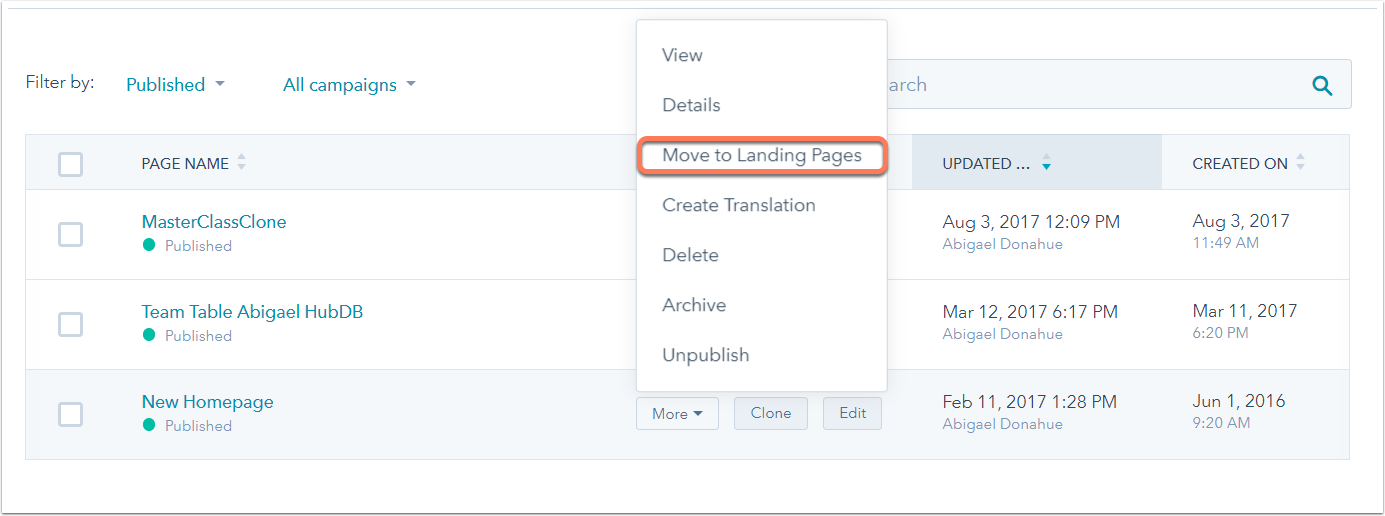
- A dialog box will ask you to confirm you want to move this page. Click Move to Landing Pages or Move to Website Pages to finish moving the page.

Please note: moving a page to a different dashboard resets its performance metrics. You can access these metrics again by moving the page back to the original tool.
